Typical web-application inner architecture
The First Nine Guide. Block 3

Disclaimer: real-world application architectures vary, but there are common layers that show up almost everywhere. That's what we'll cover.
In the previous part we discussed runtime models. A runtime alone is not a web application. Today we will look at what an application must implement inside a runtime to earn that name.
I tried to find a good reference that explained web applications independent of language and runtime. I could not. So here is my own interpretation to fix two problems:
- Many engineers do not want to dive into application internals - it feels too complex or unclear where to start.
- The opposite view is also common: "there is a box, an input, an output, and business logic in the middle." That hides what resource each function actually consumes.
Let's open the box.
HTTP request layers
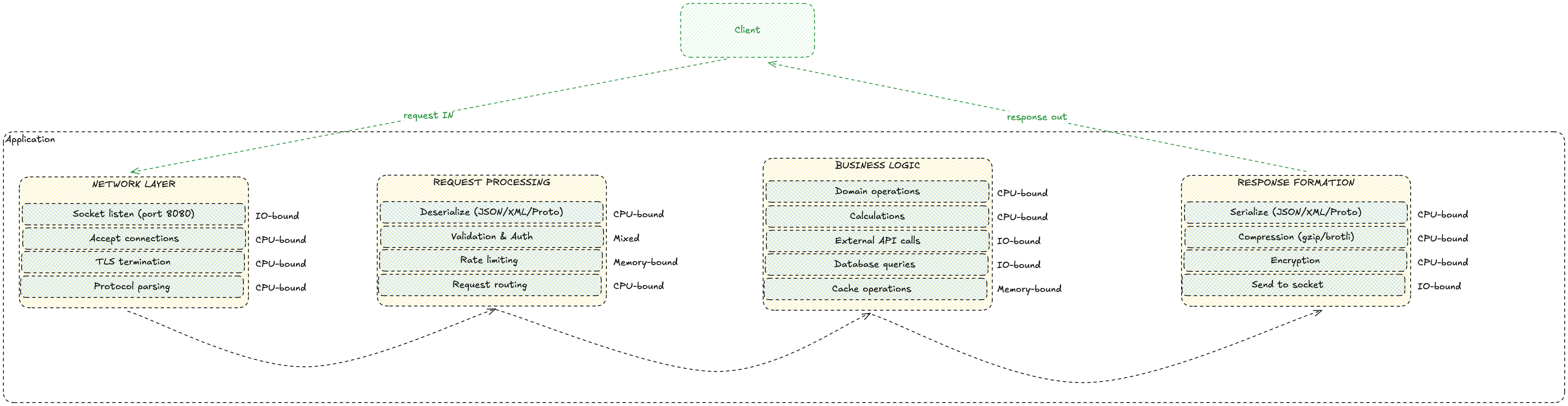
Start with the layers a request passes through. We'll separate four internal layers.
NETWORK LAYER
Goal: turn an HTTP request into structured data for business logic.
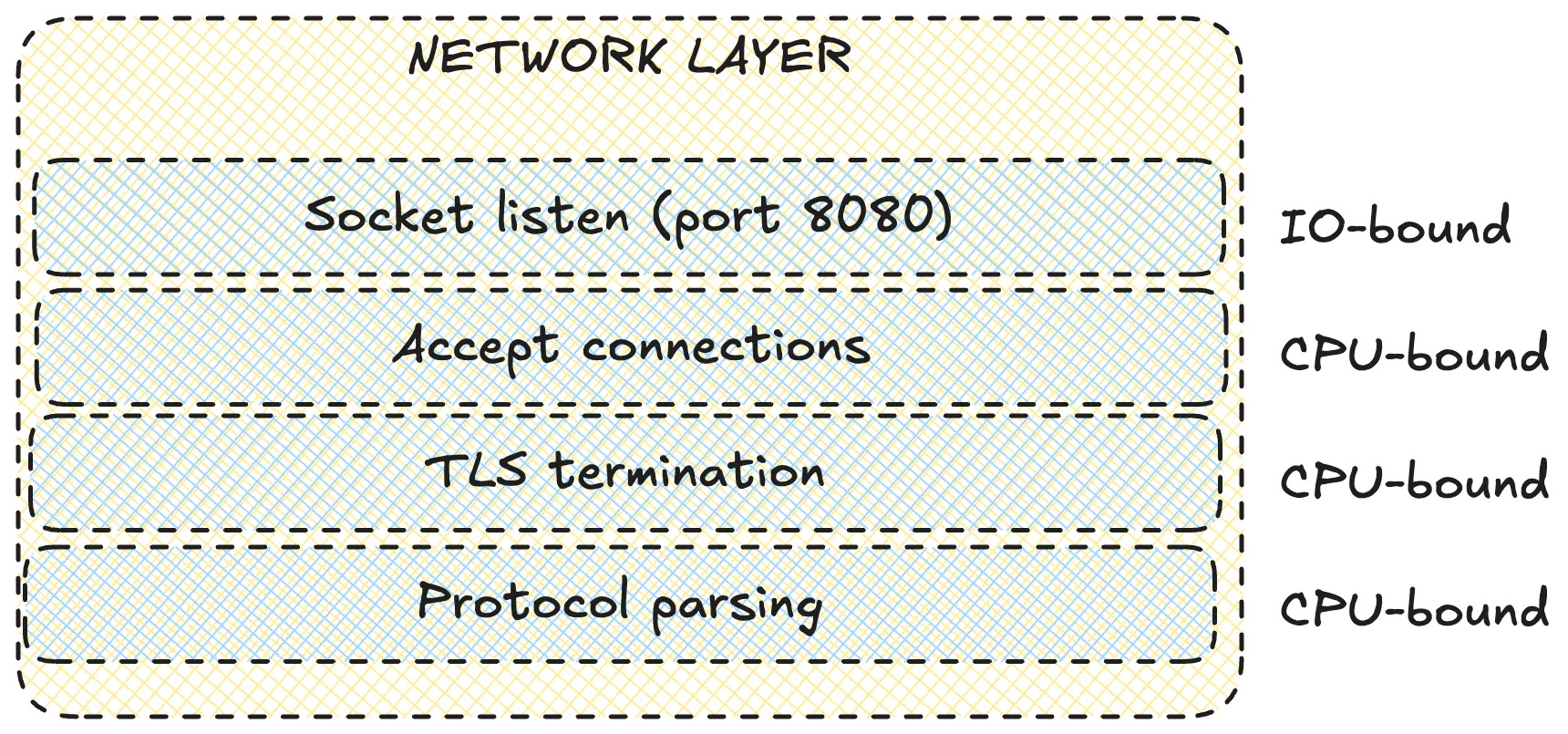
What happens here:
- socket listen (ports 8080, 443)
- accept connections
- TLS handshake - decrypt HTTPS traffic
- HTTP parsing - headers and body
Many assume this is IO-only. With large HTTPS bodies it can become CPU-bound.
REQUEST PROCESSING
Goal: turn an HTTP request into a function call and route it to the correct handler.
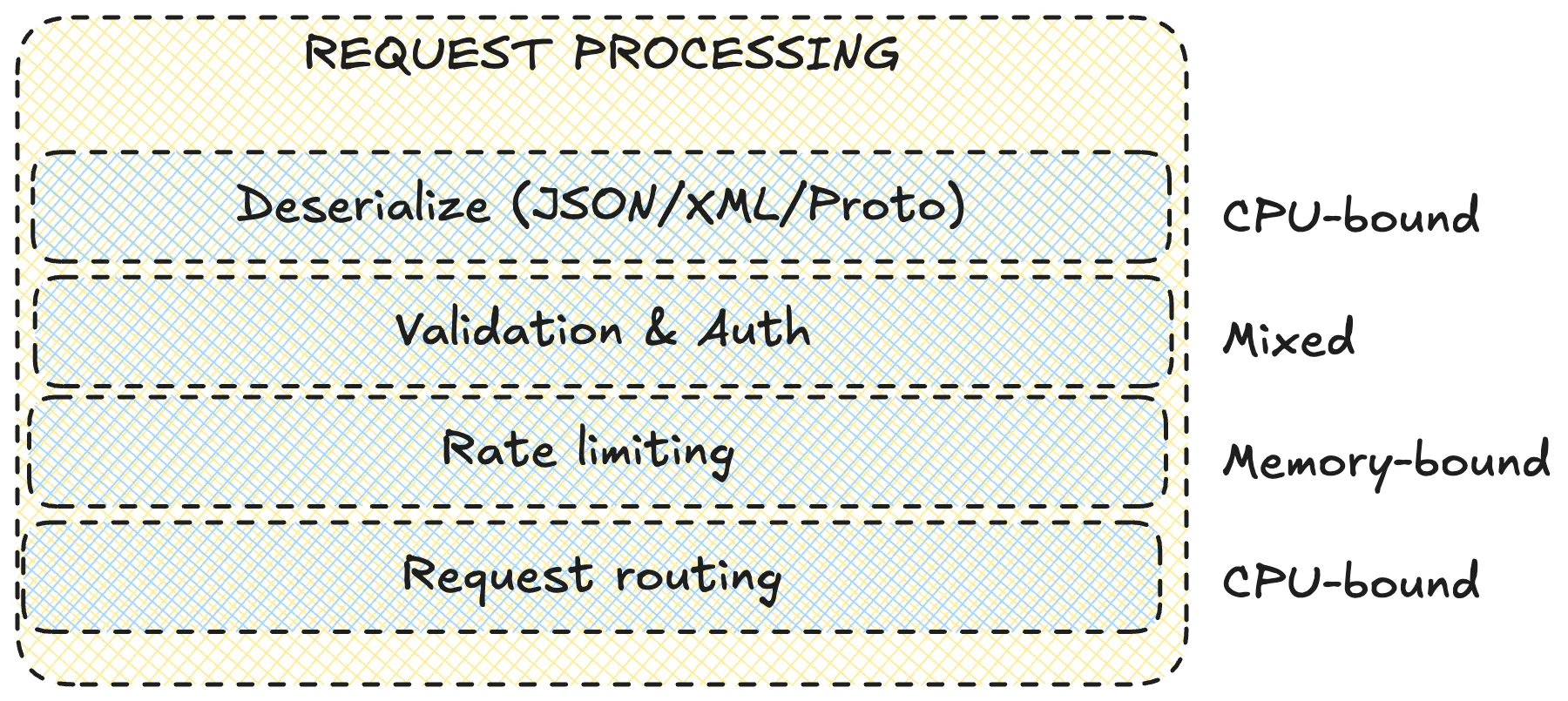
What happens here:
- deserialize (JSON/XML/Proto)
- validation & auth
- rate limiting
- request routing by URL
Rate limits are usually memory-bound if local. Distributed limits live in Redis and become IO.
BUSINESS LOGIC
Goal: execute the core logic of the service.
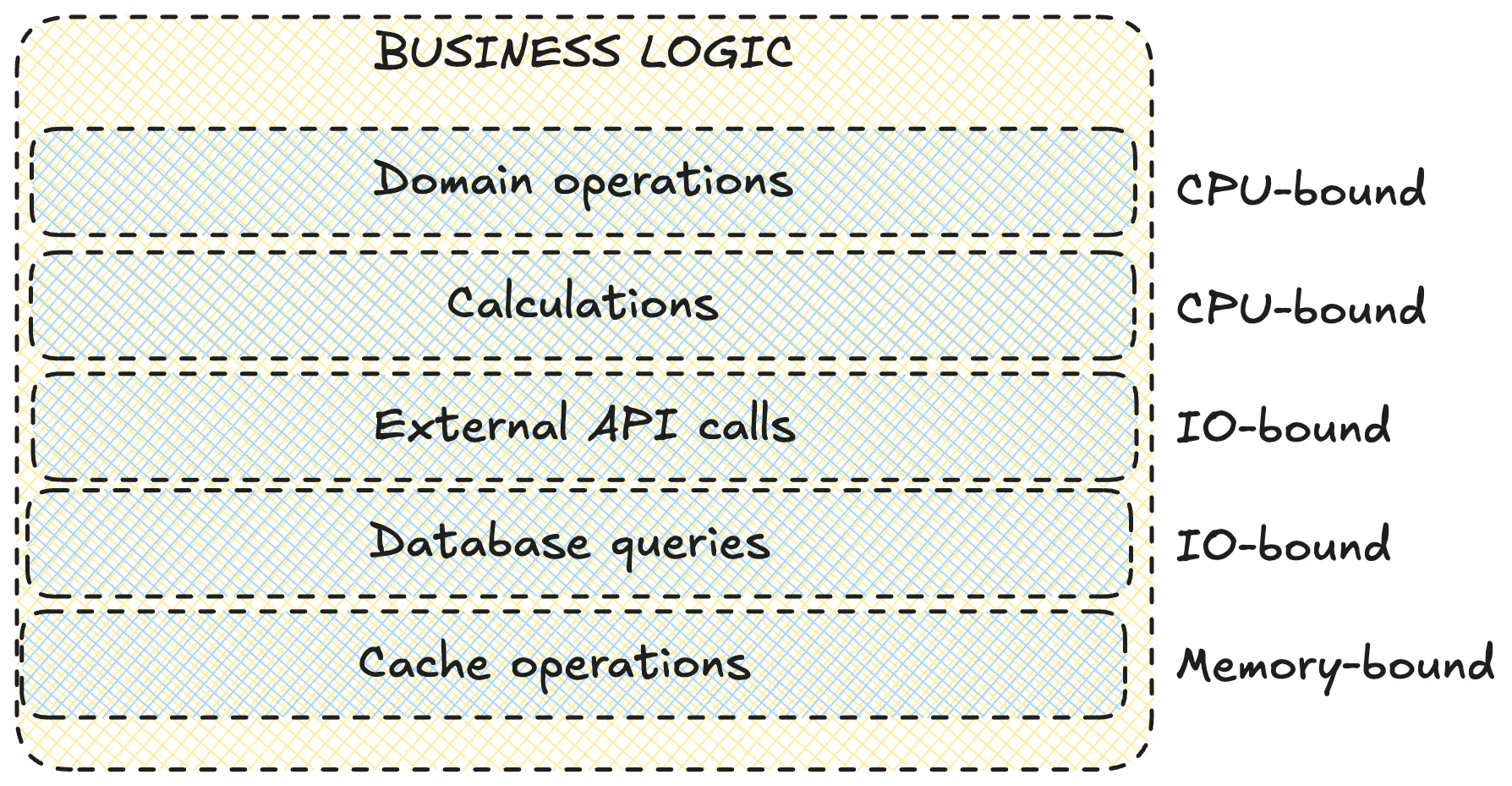
What happens here:
- domain operations - algorithms and business rules
- calculations - compute, transform
- external API calls
- database queries - PostgreSQL/MySQL/MongoDB
- cache operations - Redis/Memcached
This is the SRE favorite for incidents. Slow SQL, locks, external APIs without timeouts, and heavy O(n!) compute all live here.
RESPONSE FORMATION
Goal: package the result into an HTTP response and send it back.
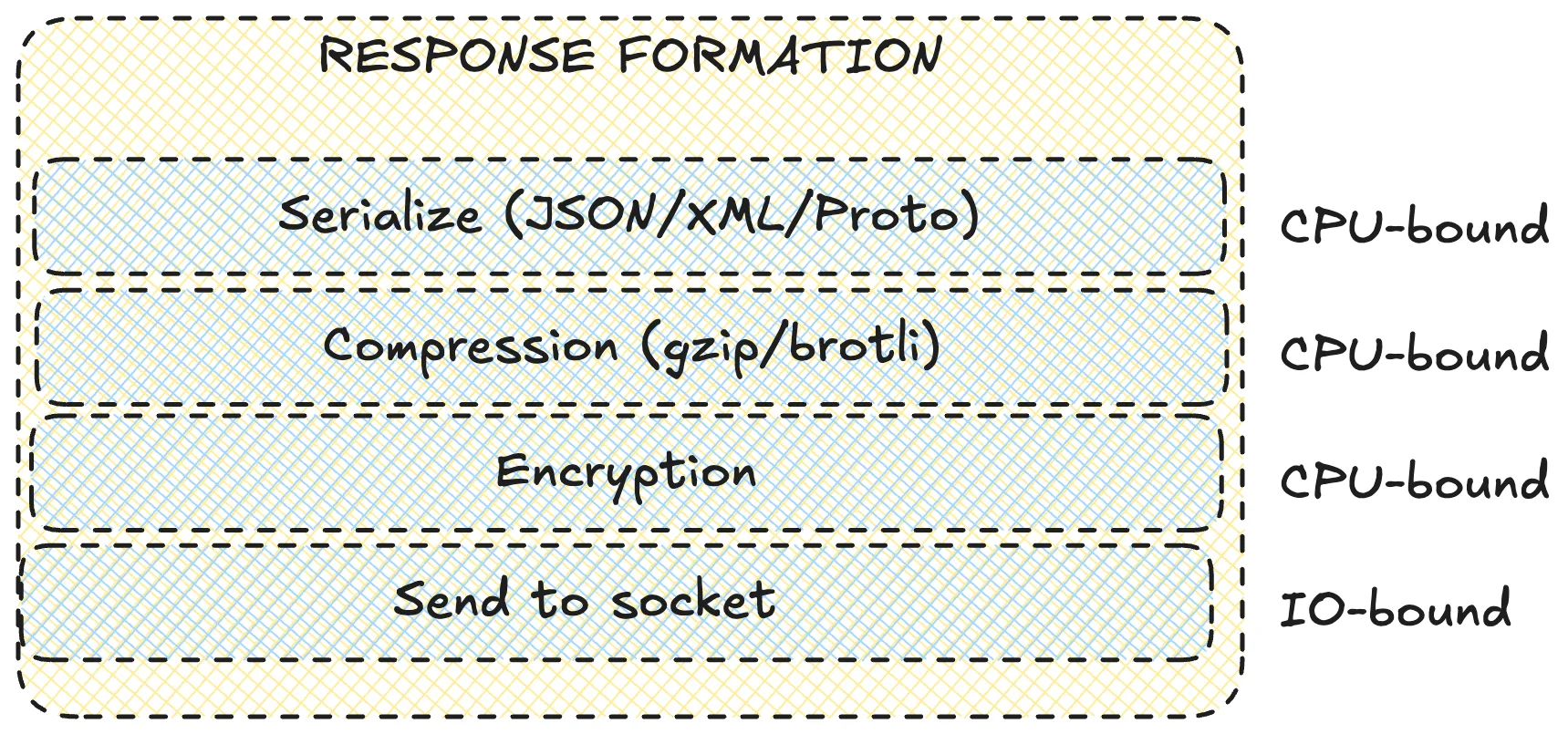
What happens here:
- serialization (JSON/XML/Proto)
- compression (gzip/brotli)
- encryption for HTTPS
- send to socket
The same problems as the first layer.
Full picture
Internal architecture
Now that we have layers, let's draw an abstract architecture as if this were a microservice system.
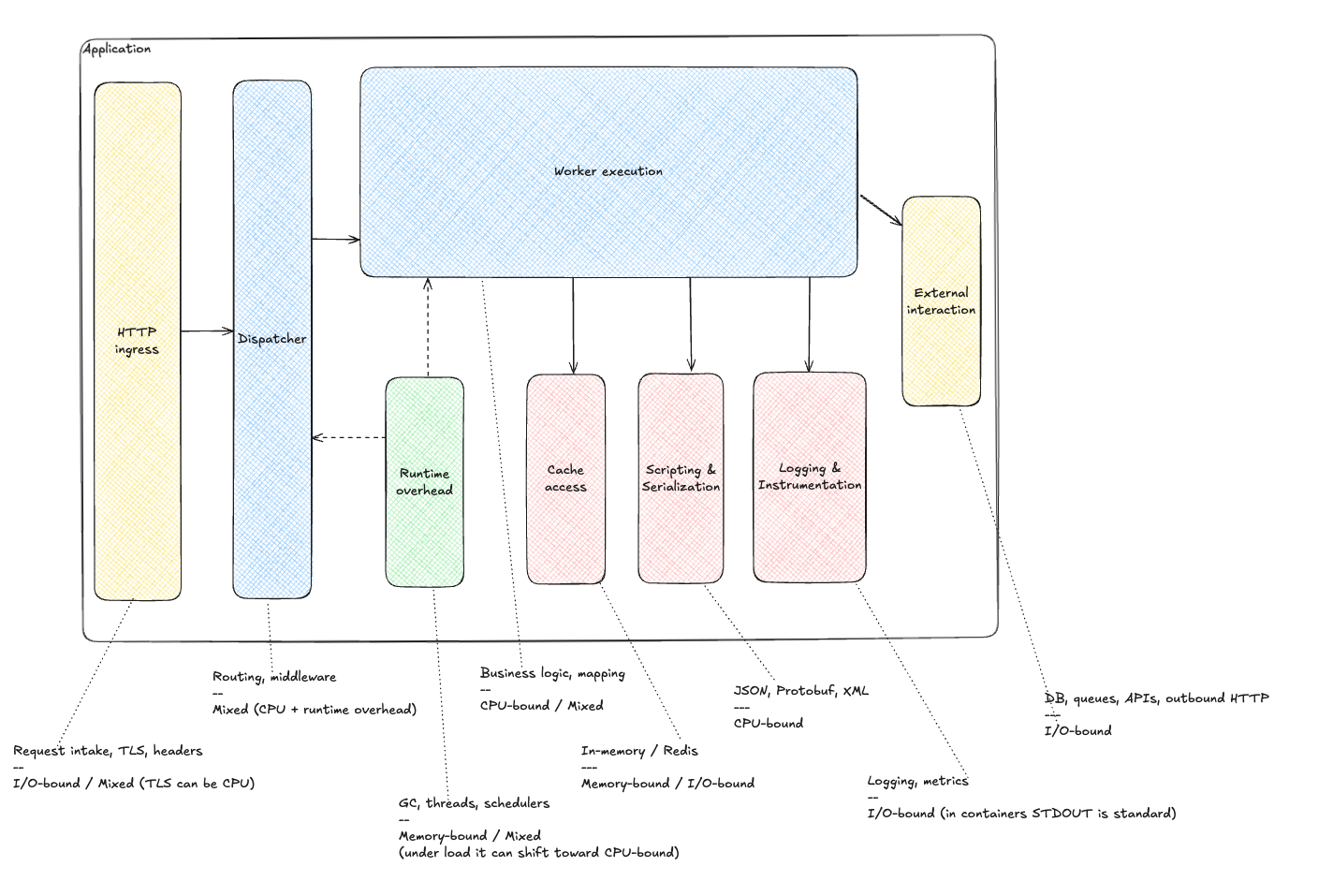
Meet the components. The real system may have more or fewer. The idea is what matters: isolate anything that has its own worker pool or executes outside the application.
List:
- HTTP Ingress - entry point, initial routing, load balancing across instances.
- Dispatcher - distributes requests to workers, manages queues and priorities.
- Worker Execution - core business logic, controllers and services.
- Runtime Overhead - GC, schedulers, thread scheduling. The name is intentionally harsh to highlight cost.
- Cache Access - in-memory caches and external caches (Redis/Memcached).
- Scripting & Serialization - JSON/XML/Protobuf, template engines, data transforms.
- Logging & Instrumentation - structured logging and tracing.
- External Interaction - databases, queues, HTTP APIs, microservices.
Why does this matter? A simple timeout example:
- Business logic issues an SQL query. The DB has its own pool (e.g., Hikari).
- The pool is exhausted. A worker thread waits for a connection.
- Goroutines accumulate or the worker pool stalls.
Sure, a timeout in the DB pool helps, but in reactive runtimes this is often missed.
Bag of advice
Knowing the internal architecture makes resilience patterns easier:
- timeouts and TTLs on internal queues
- bulkheads and pool separation (CPU vs IO pools)
- fallback mechanics, even internal circuit breakers
More on patterns later.
That's all for now.
Next: we finish designing the ideal application and deploy it.
Previous: runtime models.
Follow the channel @r9yo11yp9e - we will keep chasing the nines.